 For Client Support:


 Blog Details
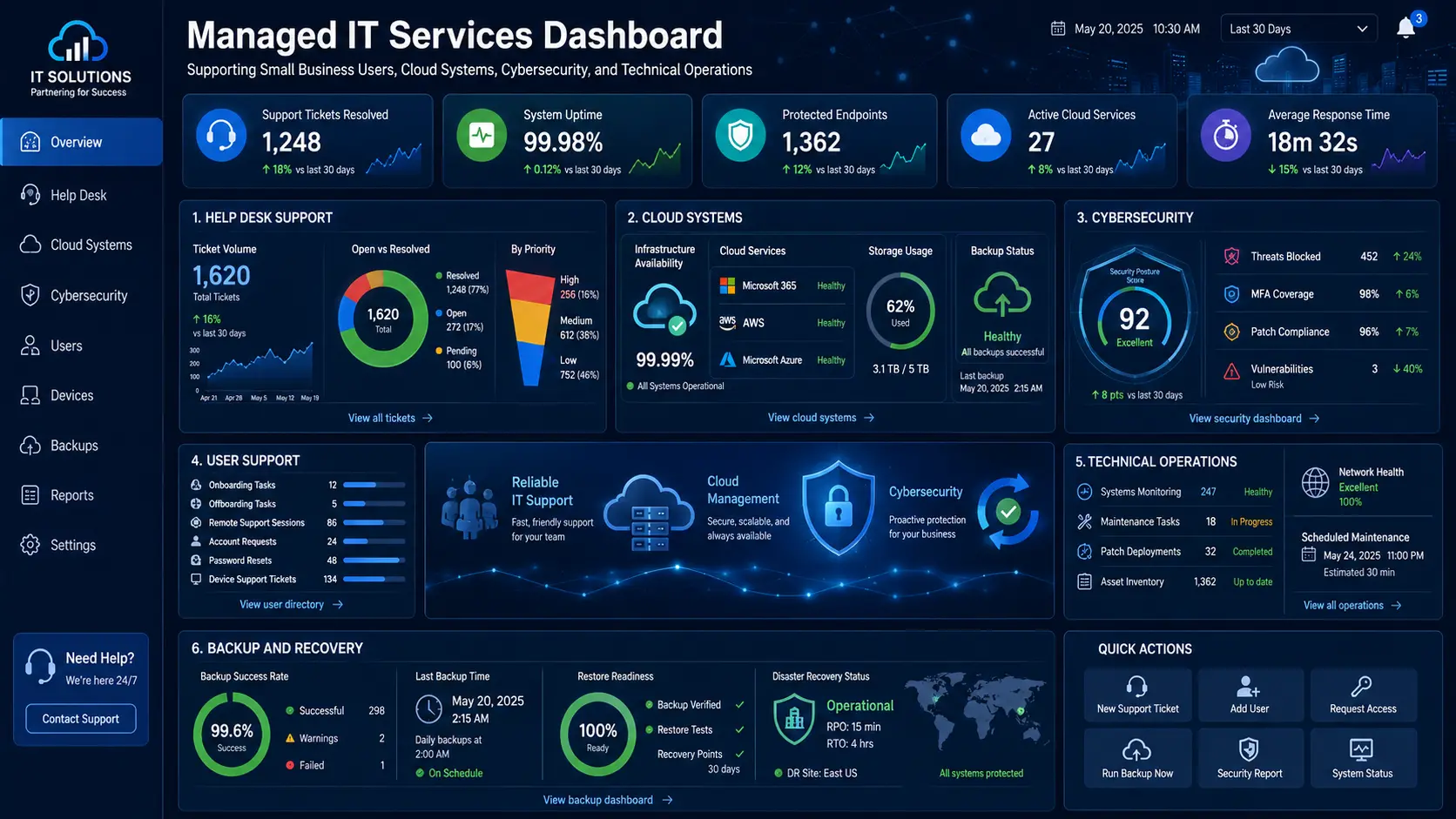

Managed IT services for small businesses provide ongoing technology support, monitoring, security, cloud management, and planning without requiring the company to hire a full internal IT department. The right provider becomes an extension of the business and helps prevent problems instead of only reacting after systems fail.
Small companies depend on email, websites, payment systems, cloud applications, laptops, mobile devices, customer databases, and internet connectivity. When any of those systems stop working, the business can lose time, revenue, and customer trust. A structured managed IT plan turns scattered technology tasks into a repeatable operating process.
What Managed IT Services Include
The exact service plan should match the size, industry, budget, and risk level of the business. Most small-business managed IT programs combine several of the following capabilities:
- Help desk and user support: troubleshooting login problems, software errors, printers, connectivity, email, and common device issues.
- User onboarding and offboarding: creating accounts, assigning permissions, configuring devices, and removing access when an employee leaves.
- Cloud management: maintaining cloud hosting, storage, backups, business applications, and access controls.
- Cybersecurity: patching, endpoint protection, multi-factor authentication, security monitoring, and incident preparation.
- Backup and recovery: verifying that important files, databases, websites, and systems can be restored after failure or attack.
- Vendor coordination: working with internet, software, hosting, phone, and equipment providers when an issue crosses multiple systems.
- Technology planning: creating a roadmap for upgrades, cloud migration, automation, and future growth.
Managed IT Versus Break-Fix Support
Break-fix support begins after something breaks. The provider solves the immediate problem and bills for the repair. That model can work for occasional issues, but it encourages reactive spending and may leave security, backups, and maintenance unfinished.
Managed IT is proactive. The provider monitors systems, documents the environment, schedules maintenance, reviews security, and looks for patterns behind recurring tickets. The goal is to reduce the number and impact of failures. Predictable support also makes it easier to budget than a series of emergency repair bills.
Benefits for a Small Business
Less downtime
Monitoring, maintenance, and documented recovery procedures help the business respond faster when a device, application, website, or connection fails. Even when an outage cannot be prevented, a prepared response can reduce confusion and recovery time.
Stronger security
Small businesses often use many cloud tools but do not have one person responsible for permissions, updates, backups, and security alerts. A managed provider can coordinate those controls and connect them to a practical cloud security strategy.
Support for employees
Employees work better when they know where to report a problem and receive clear assistance. A consistent ticket and escalation process also helps the business identify training needs and repeat issues.
Access to broader expertise
A small company may need help with networking one day, a website database the next day, and cloud security later in the month. A managed service relationship can provide access to multiple skill sets without requiring a separate full-time hire for each specialty.
What Determines Managed IT Cost?
Pricing usually depends on the number of users and devices, support hours, cloud systems, security requirements, locations, compliance needs, and whether the provider manages servers, websites, databases, or specialized applications. A low monthly price is not automatically a good value if important responsibilities are excluded.
Before comparing proposals, ask each provider to define what is monitored, which issues are included, how after-hours incidents are handled, how backups are tested, and what work requires a separate project fee. Clear scope prevents surprises.
Signs Your Business Is Ready for Managed IT
- The owner or office manager spends too much time troubleshooting technology.
- Employees repeatedly experience login, email, Wi-Fi, printer, or application problems.
- No one regularly reviews backups, updates, permissions, or security alerts.
- The business is adding employees, remote workers, locations, or cloud applications.
- Important systems depend on one person who has not documented how they work.
- Website, database, or payment problems are affecting customers.
- Technology purchases are made without a long-term plan.
How a Managed IT Engagement Should Begin
- Discovery: document users, devices, software, cloud accounts, vendors, websites, data, and current problems.
- Risk review: identify unsupported systems, weak access controls, missing backups, and single points of failure.
- Stabilization: fix urgent issues, standardize accounts, apply updates, and confirm recovery options.
- Ongoing operations: establish monitoring, ticket handling, maintenance schedules, reporting, and escalation rules.
- Roadmap: prioritize projects such as small-business cloud computing, automation, device replacement, and security improvements.
Questions to Ask a Managed IT Provider
- What response and escalation process is included?
- Who owns the documentation and administrator accounts?
- How are backups tested instead of merely scheduled?
- How do you handle employee onboarding and offboarding?
- What security controls are standard?
- Can you support our website, cloud infrastructure, and custom applications?
- How will you report completed work, risks, and recommendations?
Frequently Asked Questions
Do very small businesses need managed IT?
A company with only a few employees may still depend on cloud applications, customer data, payment systems, and a website. A smaller support plan can focus on the highest-risk systems and expand as the business grows.
Can managed IT support remote employees?
Yes. Remote support can cover account access, device setup, cloud applications, secure connectivity, and troubleshooting. The provider should also define when an on-site visit is necessary.
Is managed IT the same as cloud management?
Cloud management is one part of managed IT. A complete plan may also cover users, endpoints, networks, vendors, security, backups, websites, and technology planning.
Build a More Reliable IT Operation
Cloud Technology Computing helps small businesses organize support, cloud systems, cybersecurity, websites, backups, and technology planning into one practical roadmap.
Book a free consultation with Cloud Technology Computing to discuss your goals, current systems, and next best step.
0 Comments