 For Client Support:


 Blog Details
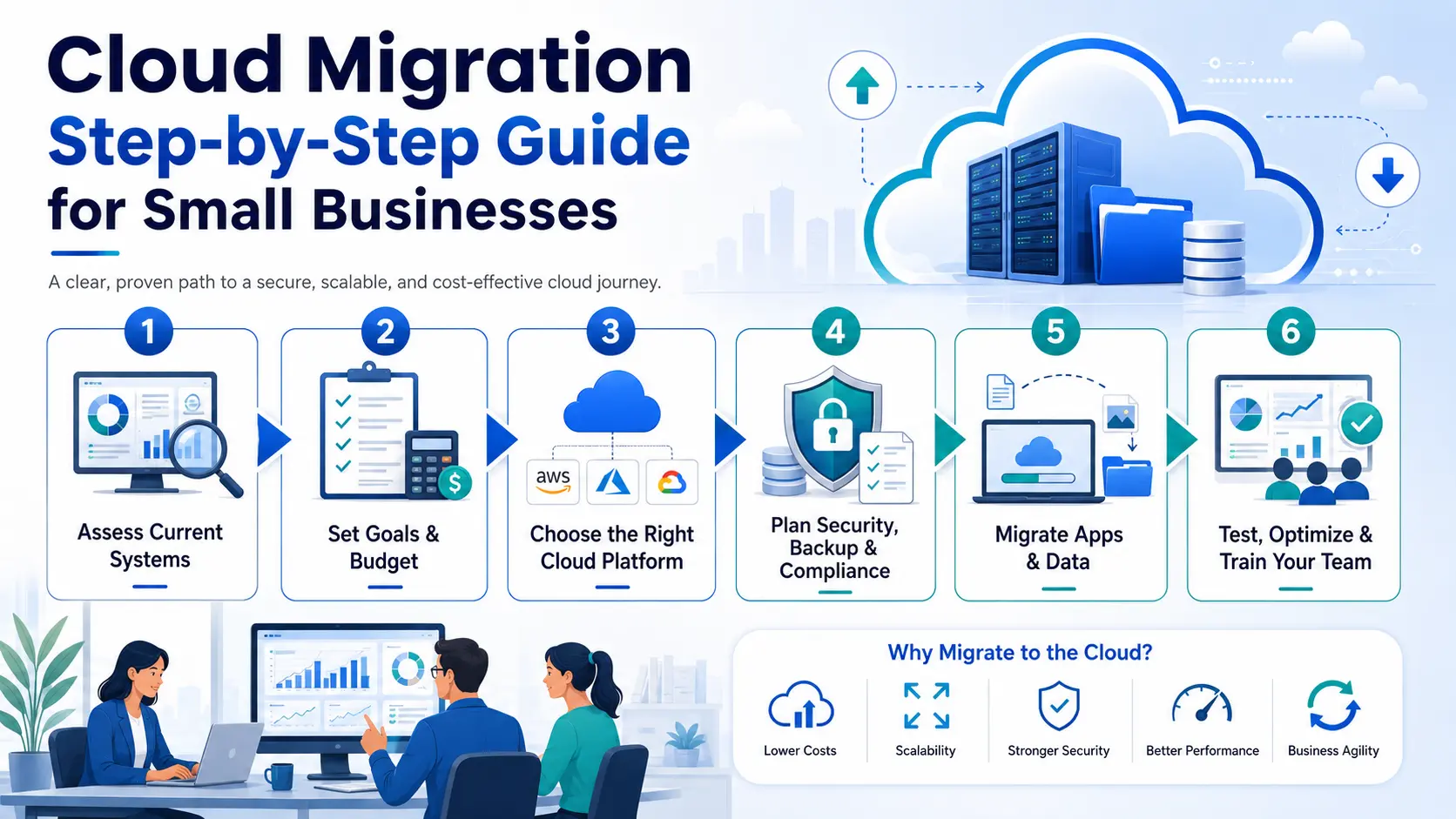

Cloud Migration for Small Businesses: Step-by-Step Guide
Cloud migration can help small businesses improve security, reduce IT costs, support remote work, and modernize operations. But moving to the cloud should be planned carefully.
What Is Cloud Migration?
Cloud migration is the process of moving business systems, data, applications, websites, databases, or infrastructure to a cloud environment.
Step 1: Review Your Current Technology
Document your servers, websites, databases, email systems, file storage, applications, user accounts, security tools, backups, and software licenses.
Step 2: Define Business Goals
Common goals include reducing IT costs, improving security, supporting remote work, replacing old servers, improving website speed, and creating better backups.
Step 3: Choose the Right Cloud Platform
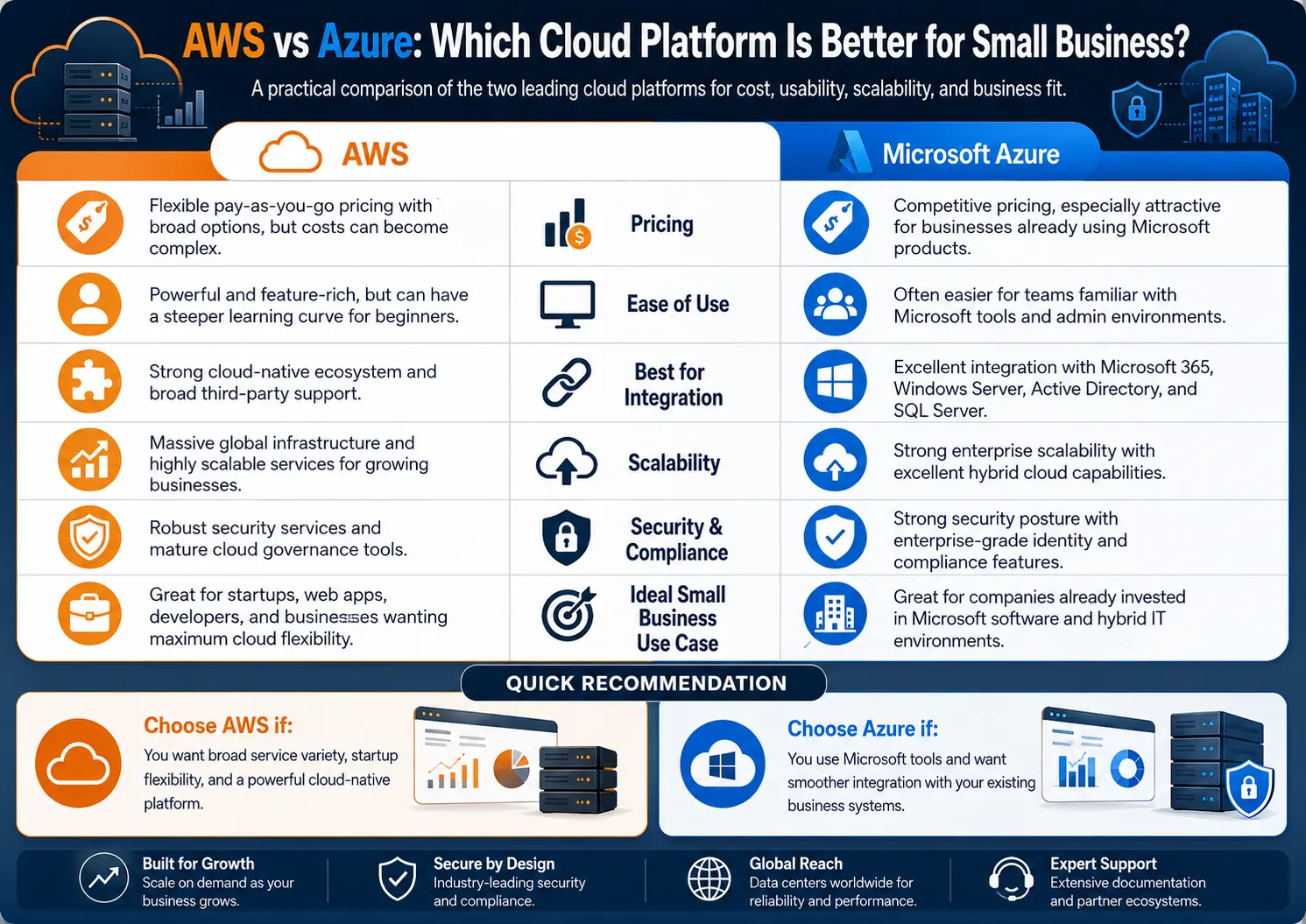
Small businesses may use AWS, Microsoft Azure, Google Cloud, IBM Cloud, managed hosting, Microsoft 365, Google Workspace, or SaaS applications.
Step 4: Create a Migration Plan
Your plan should include systems being moved, timeline, backup plan, security plan, testing plan, downtime expectations, rollback plan, and support process.
Step 5: Back Up Everything
Before moving anything, back up files, websites, databases, email, applications, configuration files, and user data.
Step 6: Set Up Security
Configure MFA, access controls, encryption, firewall rules, admin permissions, logging, monitoring, and backup policies before moving data.
Step 7: Move Data and Applications
Migration can happen in phases. Move email, file storage, websites, databases, applications, and backups step by step.
Step 8: Test Everything
Test user logins, file access, website pages, forms, email delivery, database connections, application performance, and backup restoration.
Step 9: Train Employees
Employees should understand how to log in, where files are stored, how MFA works, how to access support, and how to follow security rules.
Step 10: Monitor and Optimize
After migration, monitor cloud costs, security alerts, performance, storage usage, backup status, and user feedback.
Final Thoughts
Cloud migration can help small businesses become more secure, flexible, and efficient. The key is planning carefully, backing up data, securing systems, testing everything, and monitoring after launch.
Planning a cloud migration? Contact Cloud Technology Computing for a small business cloud migration consultation.
0 Comments